Workspace
Workspace
Create and Use Workspaces in Gridapps
Create a workspace, and invite your team, all in a few clicks. Assign roles and start collaborating with full control and clarity.
Open the Workspace Dashboard
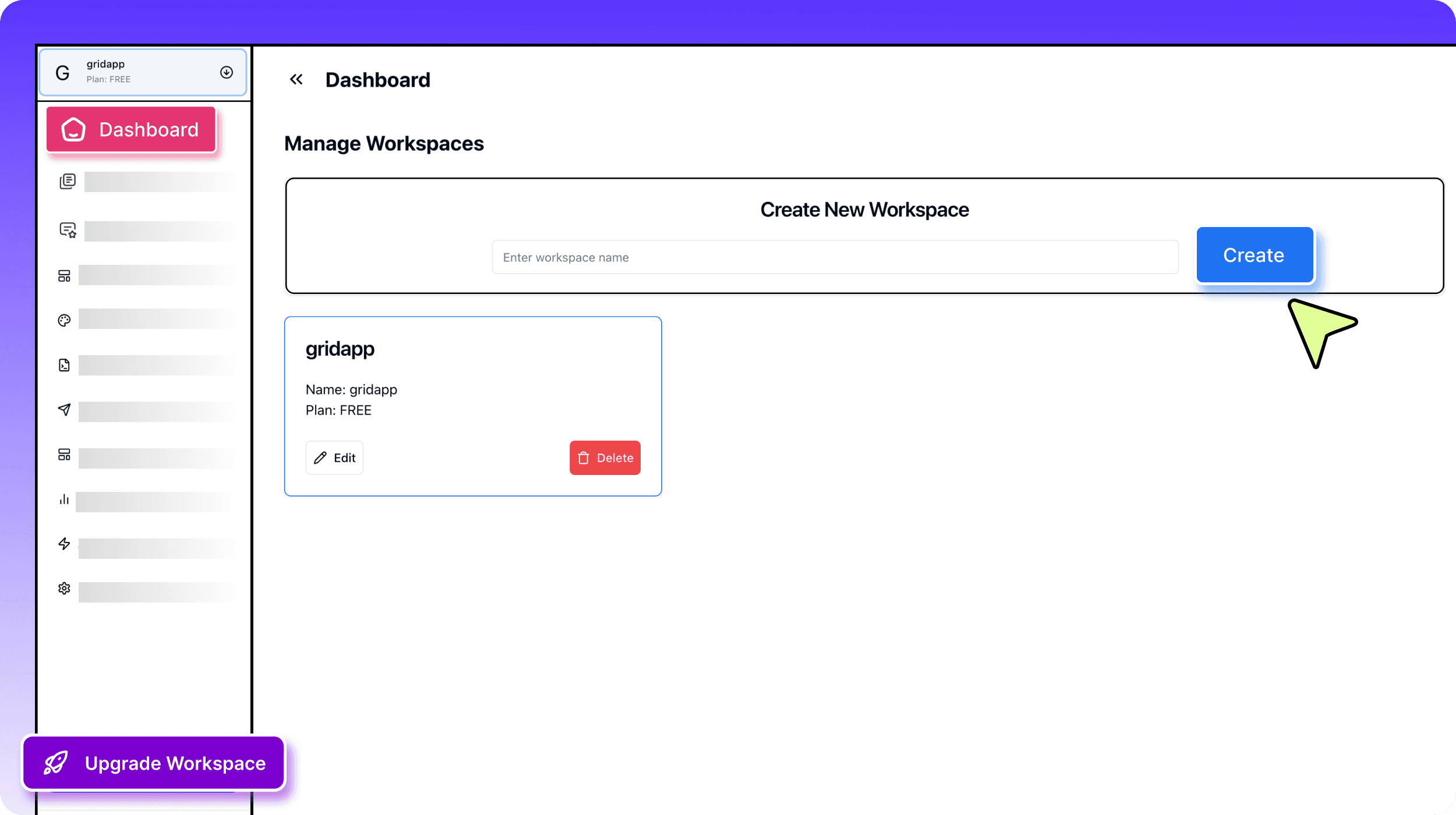
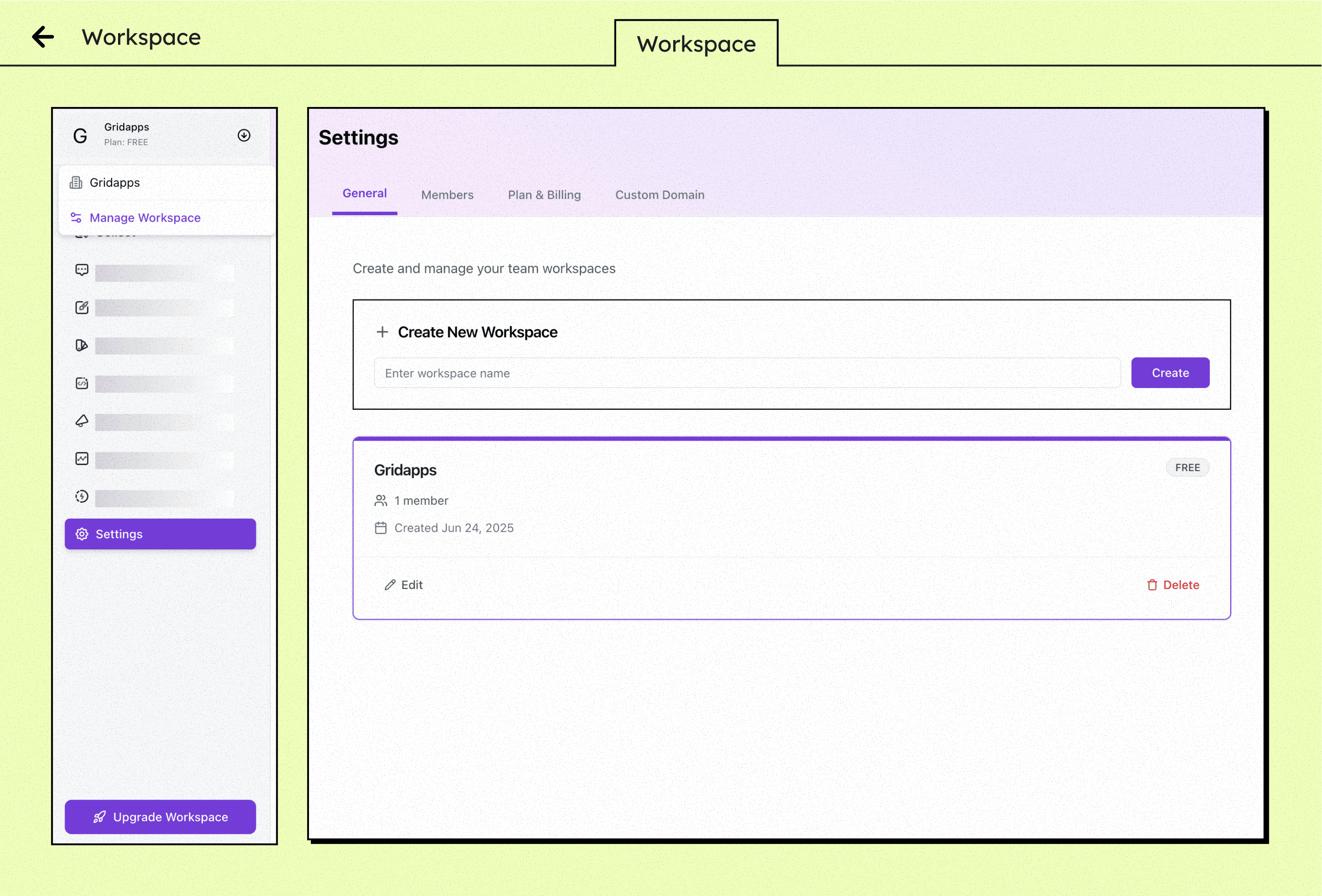
Click on "Workspace" in the sidebar to access your central hub for teams, projects, and testimonials.
Create a New Workspace
Hit “+ New Workspace,” give it a name like "Marketing Team" or "Product Feedback," and fill in the basic details.
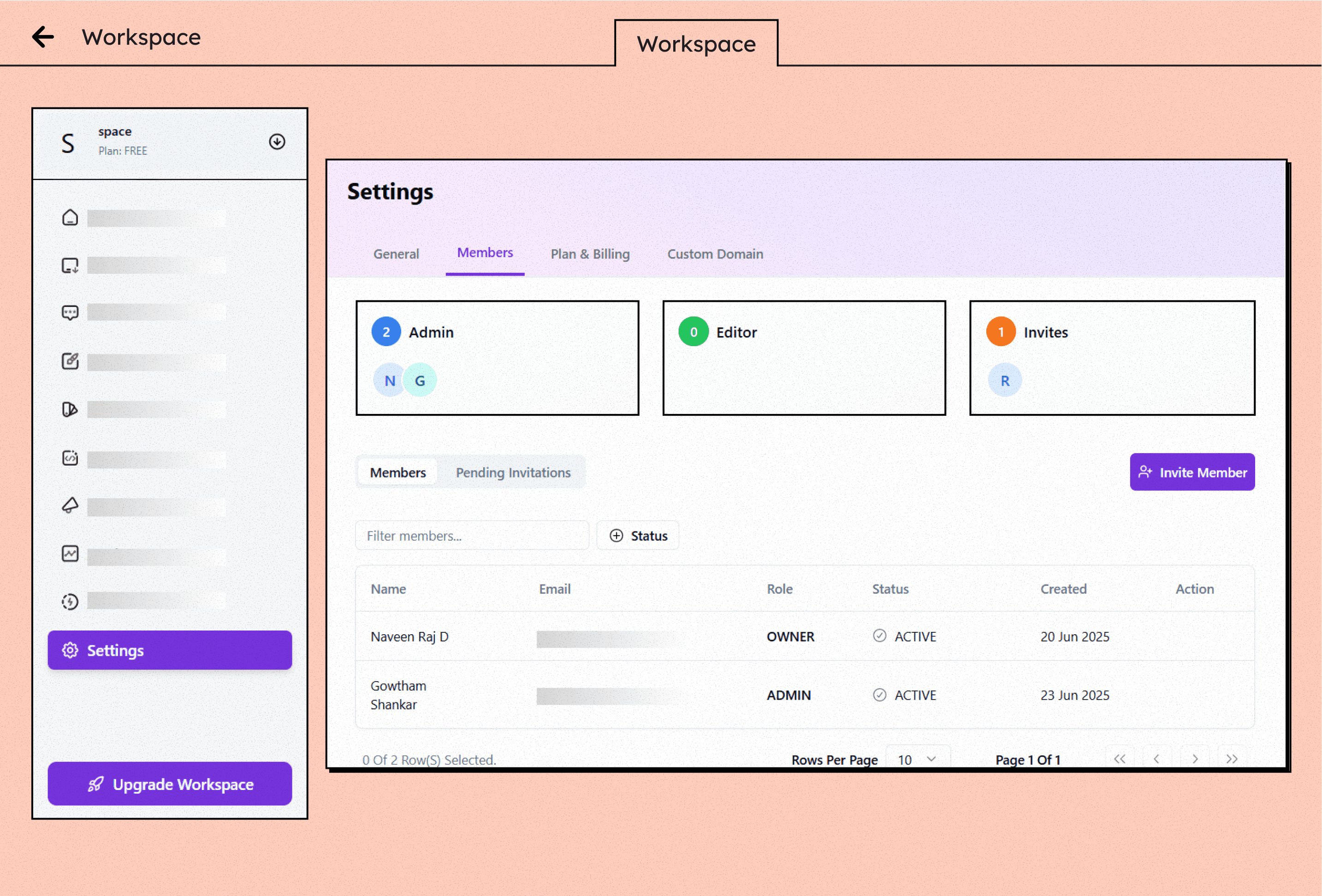
Add Your Team Members
Invite teammates by entering their email addresses. Assign roles like Admin, Editor, or Viewer for tailored access.
Feature